PackConnects
A homepage redesign for a B2B packaging marketplace, built around how buyers in India actually purchase: by asking suppliers for quotes rather than adding to a cart.
- Role
- UI/UX designer, sole designer
- Timeline
- Homepage about a month; wider platform over several months
- Tools
- Figma
- Status
- Approved, awaiting development
The brief
PackConnects connects packaging buyers, such as manufacturers and e-commerce brands, with suppliers of boxes, films, labels and machinery. It also offers industry education, an events calendar, news and a job board. An earlier version was already live when I joined the project.
While discussing how the platform was being used, my manager and I kept coming back to the same point: the homepage was built for cart-style buying. Buyers in this industry don’t add 50,000 corrugated boxes to a cart. They ask for quotes, compare a few suppliers, negotiate and then order. The homepage put the wrong action first.
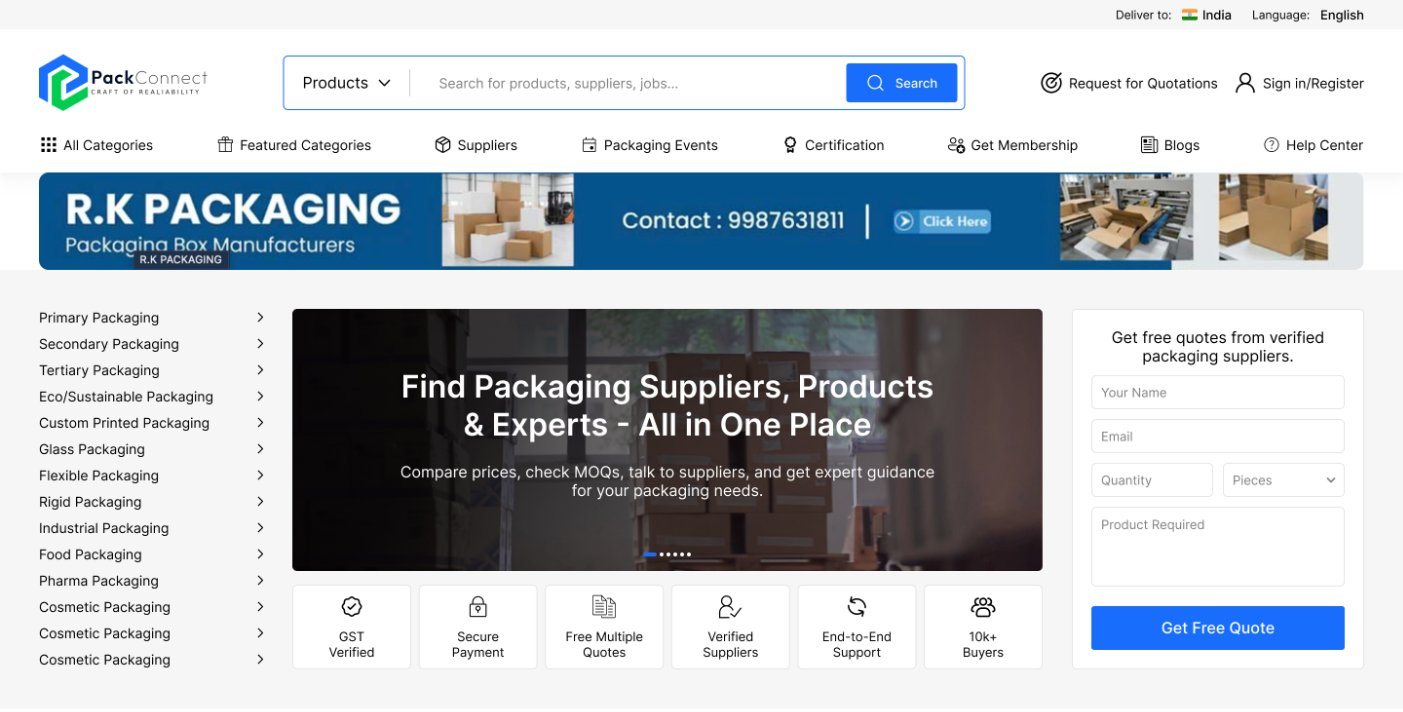
Bringing the quote request into the hero
The old hero was a dark banner with a large tagline and a single search bar. It suited people who knew exactly what to search for, but did little for buyers who wanted to talk to suppliers about a specific need.
What I tried first
- A cleaner version of the search-led hero. It looked better but had the same problem.
- A single “Request a quote” button that opened a form. It fixed the priority but sidelined search and added a step.
- Search on one side, quote form on the other. Closer, but it made people choose between browsing and asking, when most want both.
Where I landed
Three columns, one for each kind of visitor: a category menu for people who know their category, search and a supplier banner in the middle for people who know what they want, and a short quote form for people with a specific need. Below it, six trust signals answer the questions a first-time buyer has before sharing their details.
If I revisited it, I’d give the trust row a clearer hierarchy. Six signals at equal weight compete with each other; “Verified suppliers” and “GST verified” matter most and should lead.
Supplier cards that help people decide
With thousands of suppliers, buyers aren’t choosing one card. They’re ruling out the ones that don’t fit, a couple of seconds at a time. Photo-led cards didn’t help, because buyers don’t choose a box maker by their factory photo, and a flat list of every detail had the right information but nothing stood out.
The final card leads with the supplier’s name and rating, then years in the industry, then what they make in a few words. The logo is there but small, so the card answers one question: is this worth opening?
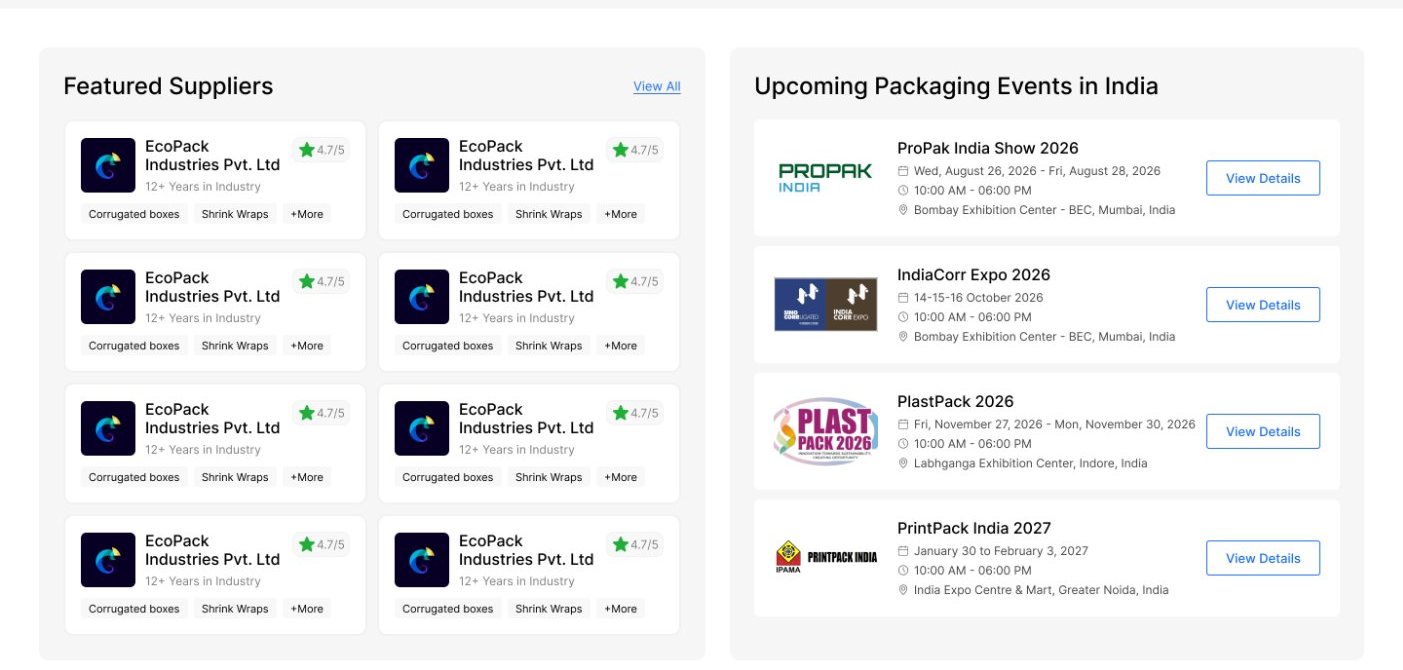
The supplier card became one of the most reused components on the platform, in search, category pages and dashboards. I built three similar versions before merging them into one, and now design any reusable card that way from the start.
The wider platform
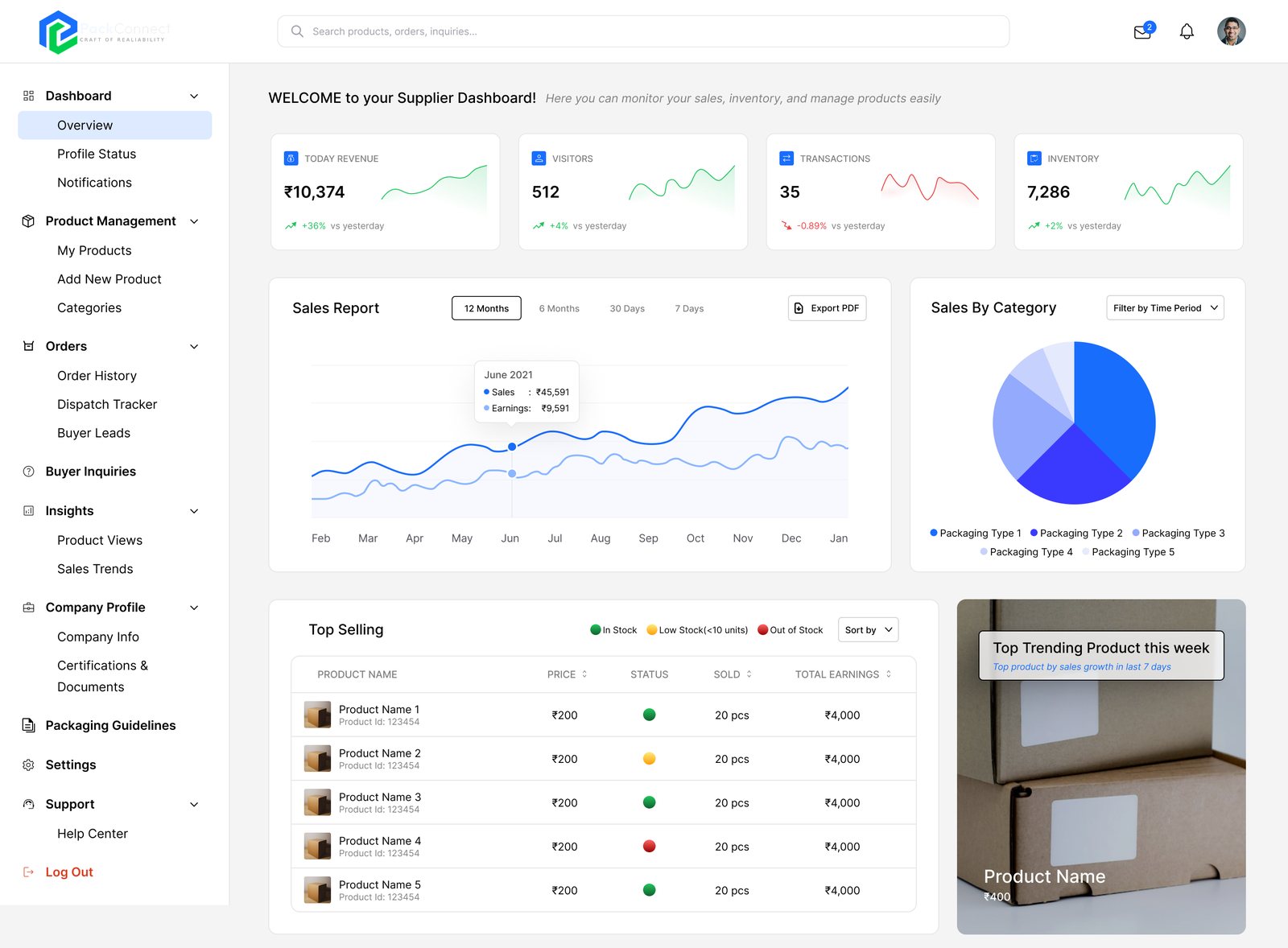
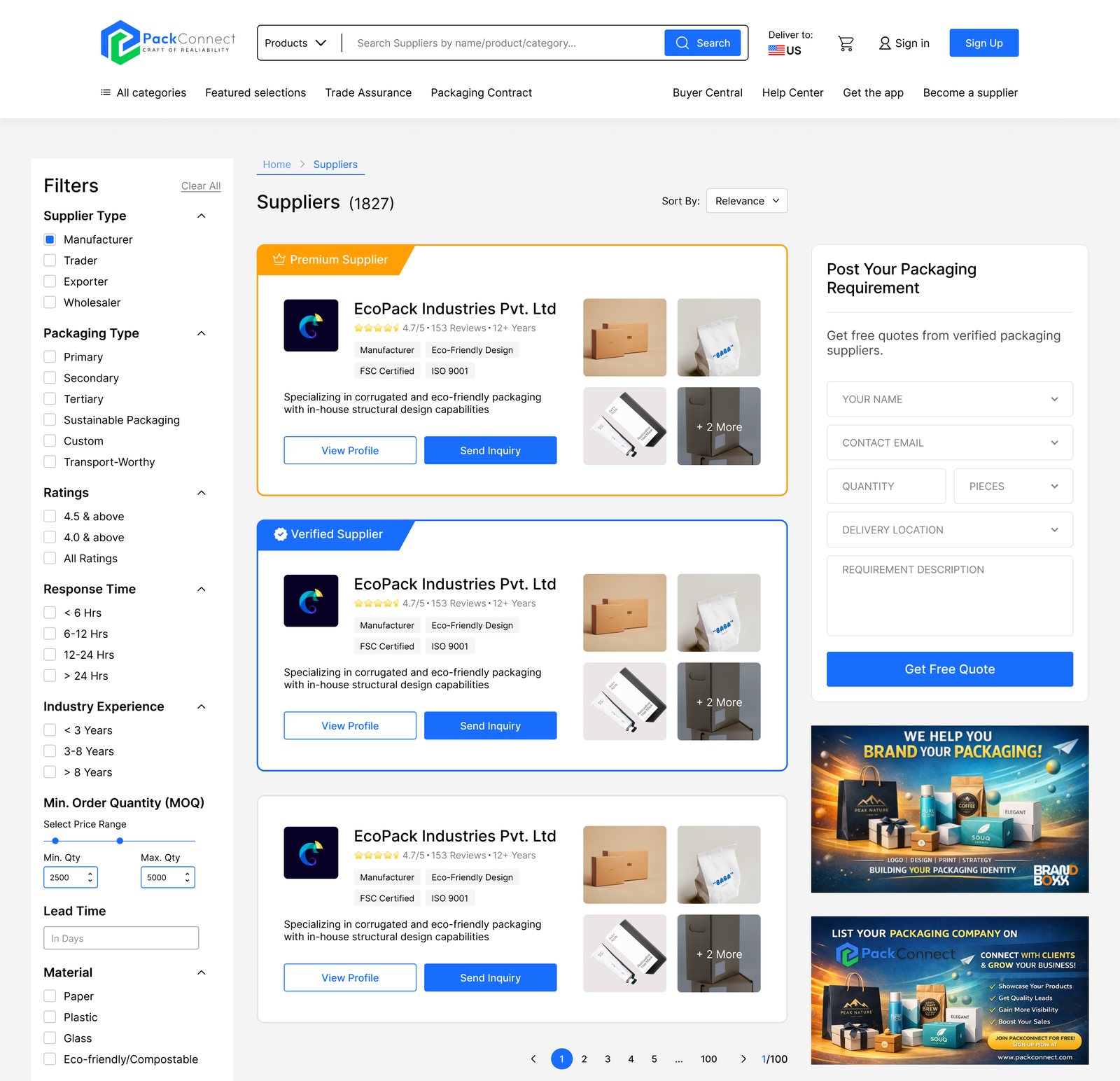
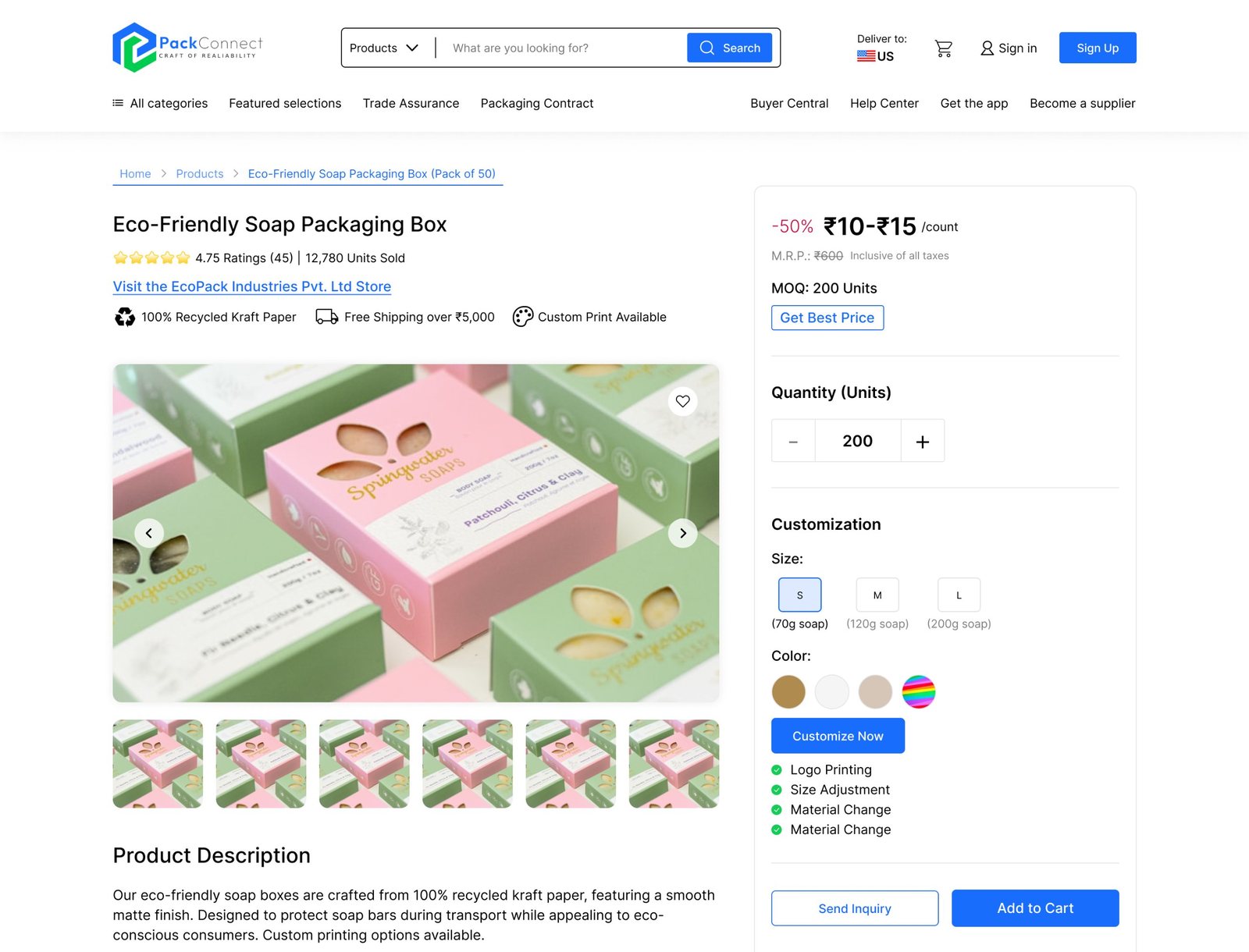
The homepage sits within a platform with separate experiences for buyers, suppliers, mentors and admins: product listings and detail pages, buyer inquiries and orders, multi-step supplier registration, a supplier dashboard with sales, views, inquiries and dispatch tracking, and a dashboard for industry mentors. The supplier listing and product pages follow the same quote-first idea: every supplier card has “Send inquiry”, and the quote form stays beside the results.
Looking back
This project taught me that deciding what a page is for matters as much as how it looks. Most of the work went into that decision; the visual design came afterwards.
Next time, I’d push for a few short conversations with real buyers and suppliers before the layout settles. The three-column idea came from inside the team, and hearing from even one buyer would have either confirmed it or pointed somewhere better.